Skills
New AI capabilities, built in plain language
Skills is the natural-language platform for creating agents and skills. Start from a tested library or describe what you need, then publish it to the people who need it.
Skill videos
See skills run
Short videos of skills in action, working across connected business systems.
Two ways to get started
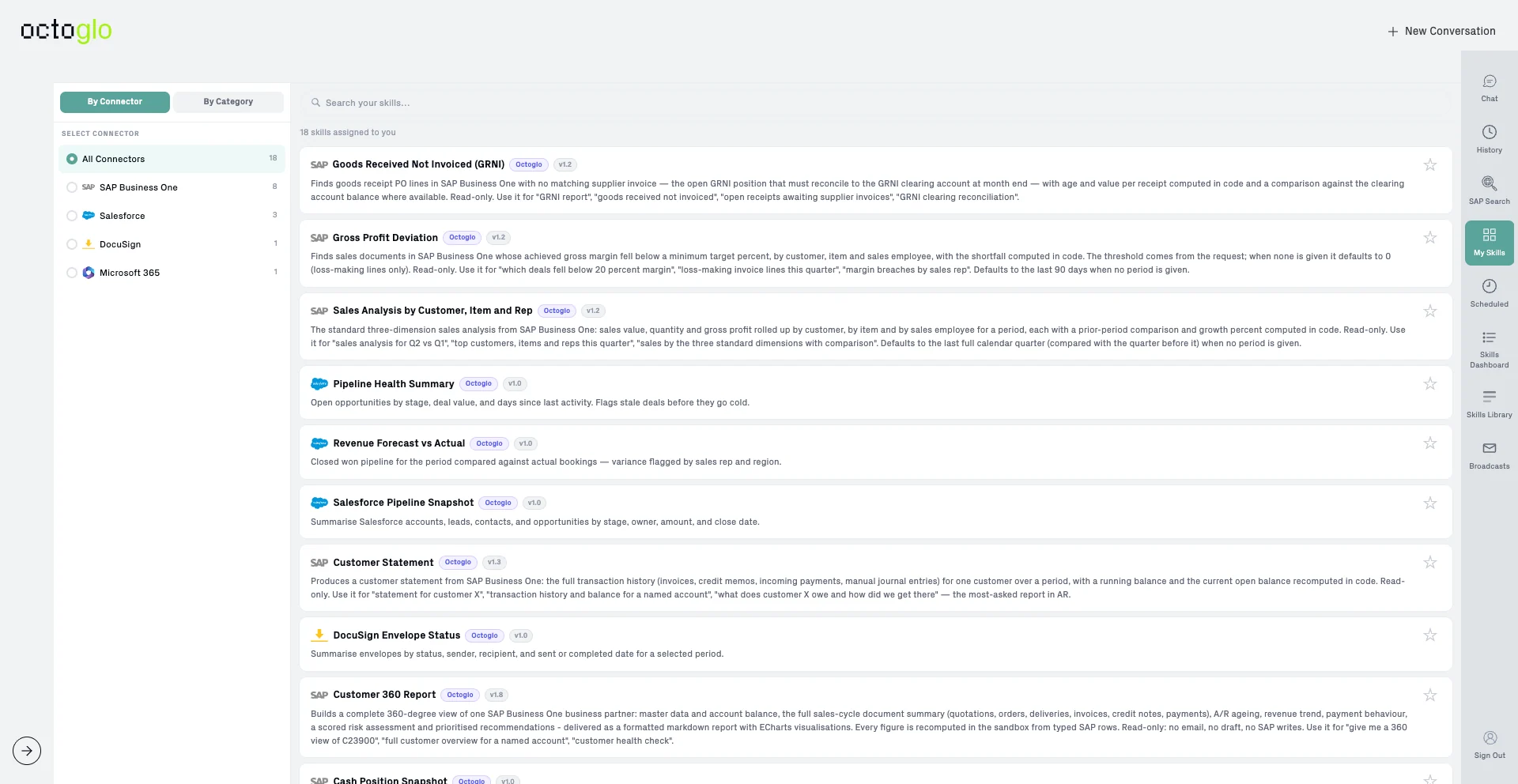
Skills Library
Deploy pre-tested, versioned skills, ready to use across your connected systems.
Skills Builder
Create governed capabilities in plain language, with no code, and publish them to selected tenants.
From idea to deployed skill
- 01
Design
Describe what the agent or skill should do, in natural language.
- 02
Configure
Set it up to work with the connectors your business uses.
- 03
Test
Check that it behaves as intended before it reaches anyone.
- 04
Publish
Release it to selected tenants, with approvals handled in Central.
See a deployed skill at work
A supplier invoice arrives by email. Octoglo checks it against SAP Business One, matches it to the purchase order and creates the Goods Receipt PO.
Put skills to work in everyday tasks
Employees run skills through Navigator, on request or on a schedule, across all their connected systems.
Because skills are predefined tasks, they keep token use down and save your organisation real costs.
- “Design a monthly sales report for the executive team with the relevant KPIs”
- “Summarise stock levels for fast-moving items”
- “Show leads converted to opportunities this quarter”
- “What’s the average payment time by customer group?”
From the library
Skills built around real business questions
SAP Business One
Customer 360 Report
A complete view of one business partner, with risk assessment and prioritised recommendations.
SAP Business One
Gross Profit Deviation
Finds sales documents below a target margin, by customer, item and sales employee.
SAP Business One
Goods Received Not Invoiced
Finds receipts with no matching supplier invoice, ready for month-end reconciliation.
Salesforce
Pipeline Health Summary
Open opportunities by stage, value and last activity, flagging stale deals before they go cold.
DocuSign
DocuSign Envelope Status
Summarises envelopes by status, sender, recipient and date.
SAP Business One, SharePoint, Outlook
Customer Visit Prep Pack
Builds a visit pack and an Outlook draft with it attached. It creates the draft and stops, and never sends.
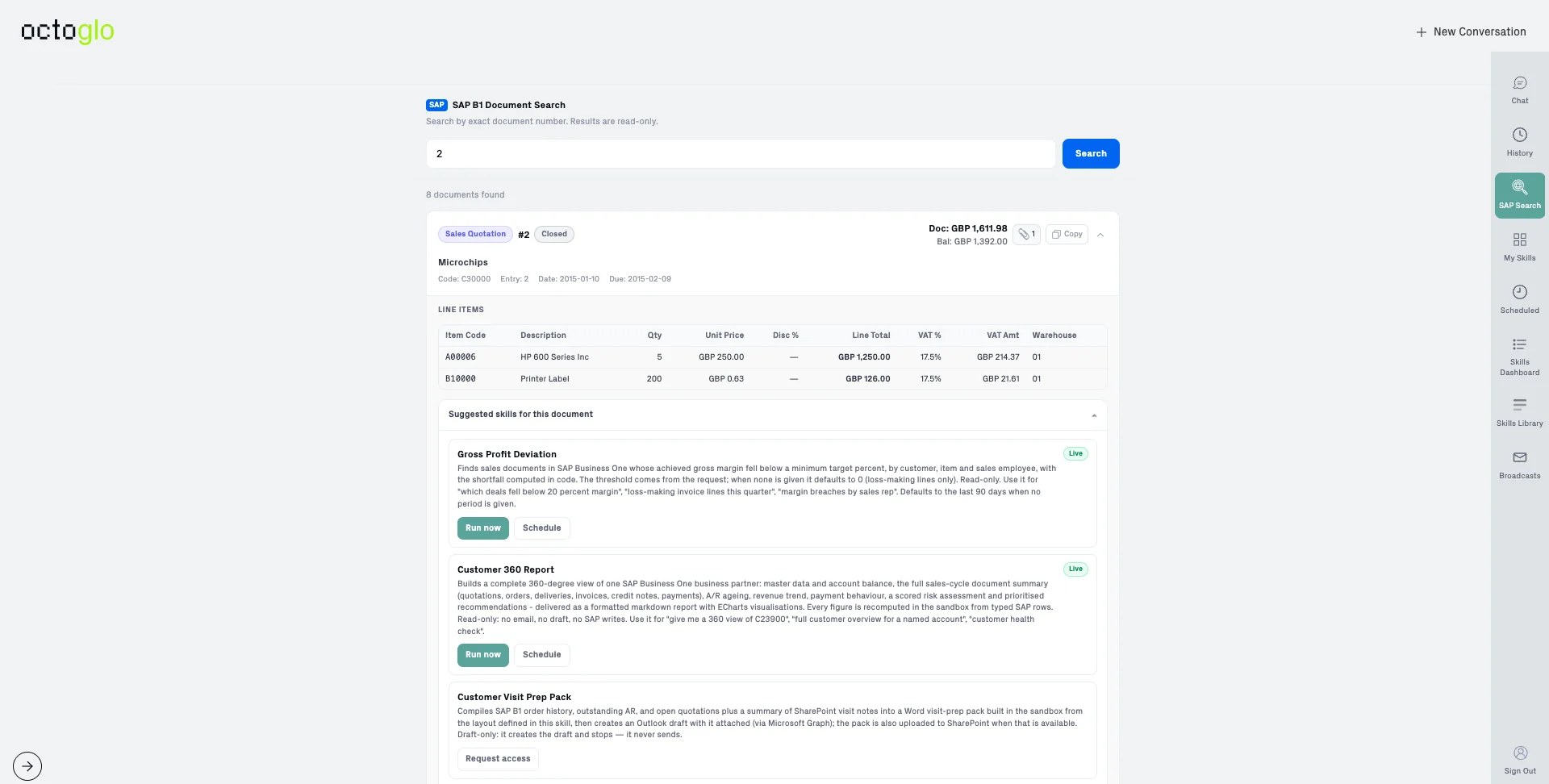
The right skill, right where you’re working
Open a document in Navigator and see suggested skills alongside it, ready to run now or schedule for later.
Easy to create.
Governed from day one.
Explore the technology →
Versioned
Library skills are pre-tested and versioned.
Approved
Skill approvals can be delegated directly in Central.
Targeted
Publish only to the tenants you select, with agents locked to employee roles.
Reliable
Every agent and skill runs on Connect, with built-in governance.